
Download Manager
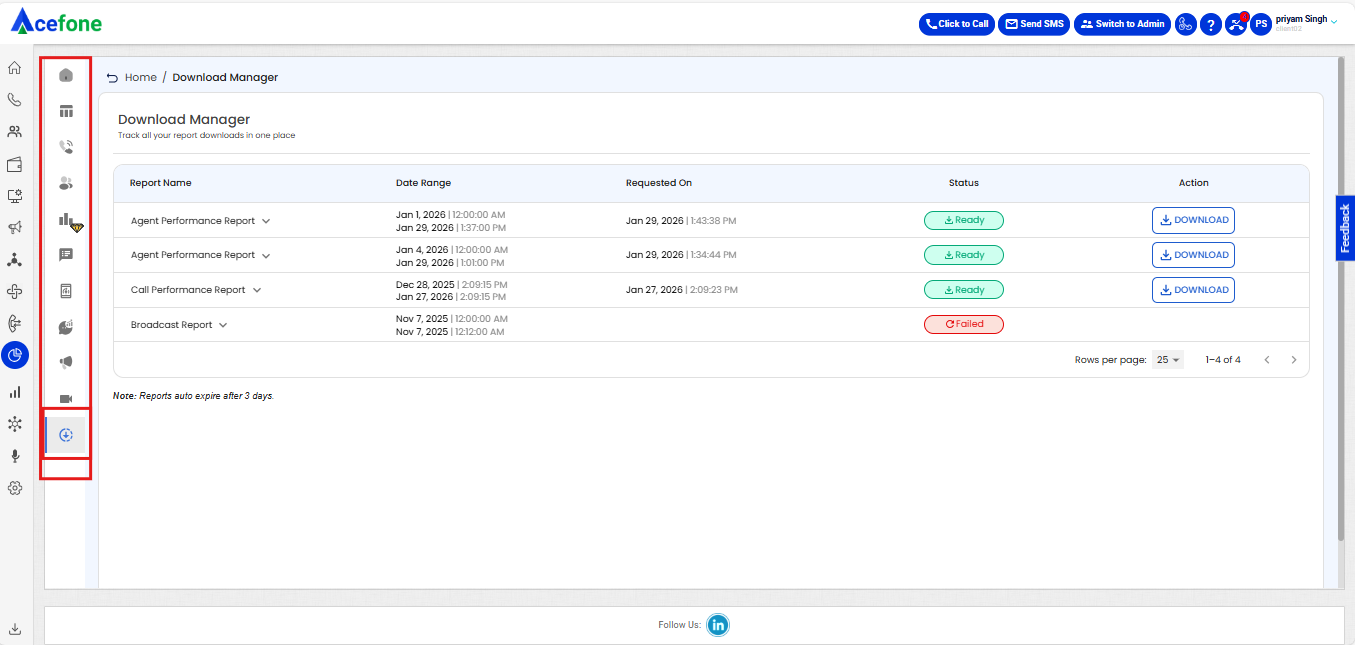
The Download Manager is a centralized section within Insights that allows users to track, manage, and access all report downloads from a single place. It provides full visibility into the status of requested reports and simplifies navigation across analytics workflows.
How to Use
- Navigate to Insights from the left-hand menu.
- Download any report from an Insights dashboard or report page.
- You will be redirected to the Download Manager.
- Track report progress and download completed reports.
- Use breadcrumbs to return to the originating dashboard, if required.
Key Features
Centralized Download Repository
All requested and previously generated reports are available in one consolidated view, eliminating the need to navigate across multiple modules.
Real-Time Download Status
Each report displays its current status, such as:
- Ready – Report is available for download
- In Progress – Report generation is ongoing (with percentage progress)
- Failed – Report generation failed, with an option to retry
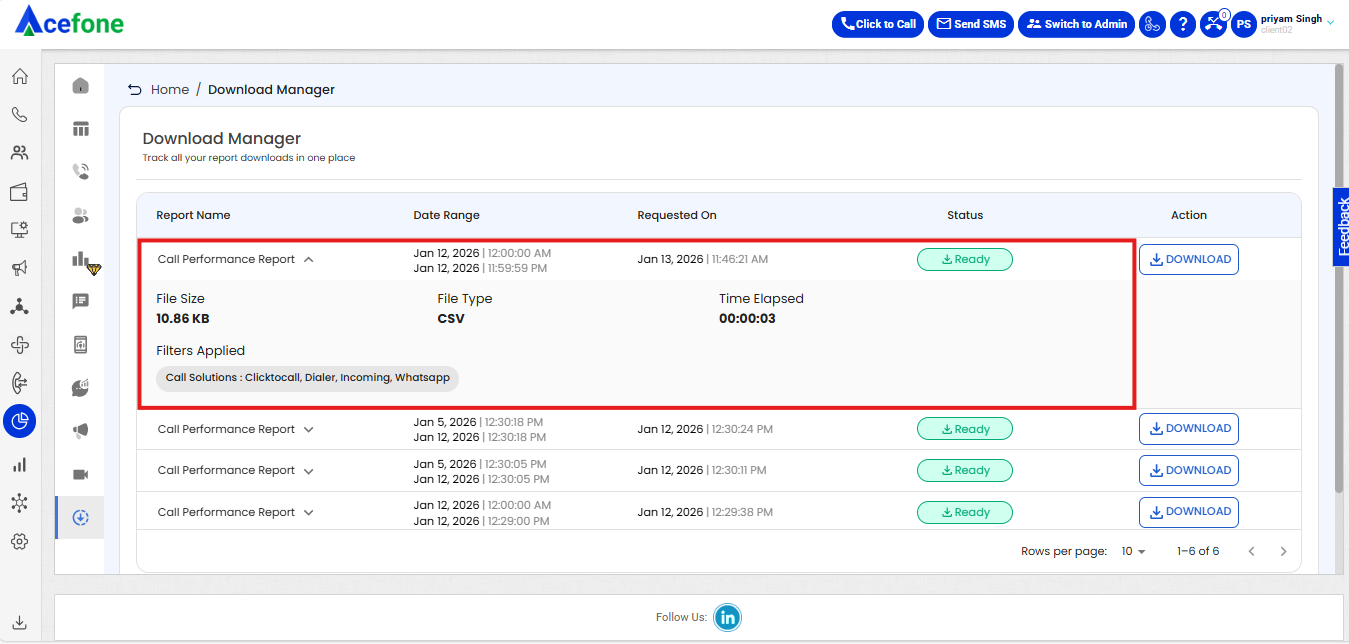
Detailed Report Information
For every report request, users can view:
- Report name
- Selected date range
- Request timestamp
- Current status
- Available actions (Download / Retry)
Breadcrumb-Based Navigation
Breadcrumbs allow users to quickly navigate back to the original dashboard or report source from where the download was initiated.
Quick Access to Past Reports
Previously generated reports remain accessible, enabling users to re-download reports without regenerating them.
Benefits
- Improved visibility into report generation and downloads
- Faster access to completed reports
- Reduced confusion around download status
- Seamless navigation between Insights and report sources
- A smoother and more efficient analytics workflow
The Download Manager ensures a streamlined, transparent, and user-friendly experience for managing all analytics report downloads within Acefone.
Updated 9 months ago