
Call Detail Page
📄 Getting started with Call detail Page
This Call Detail Page is essential for supervisors, quality teams, or analysts needing deeper insights into specific call sessions, ensuring transparency and traceability across the contact center.
To access the Call Detail Page in call logs in the Insights section, to need to click on the arrow present alongside to the call ID.
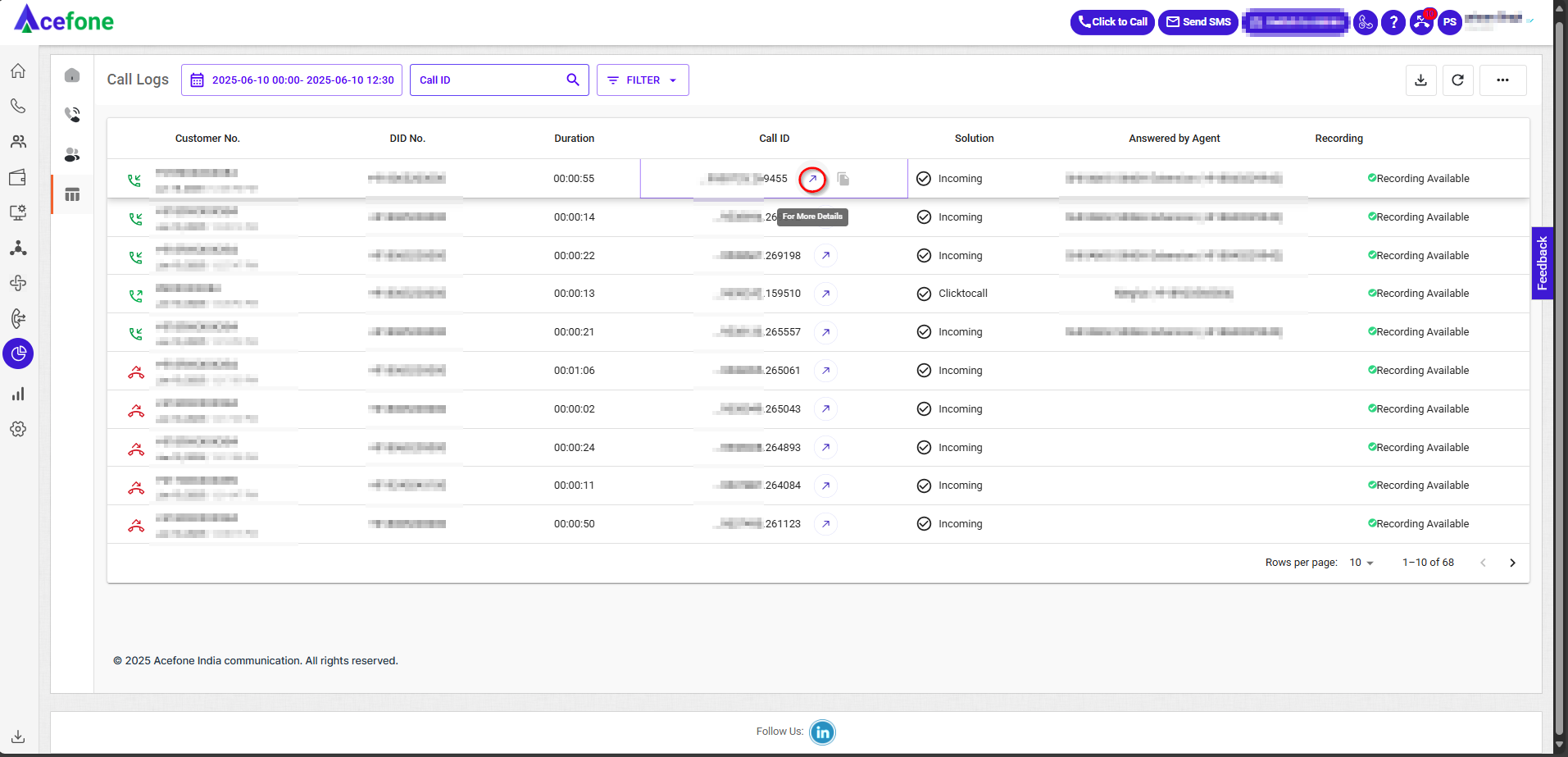
Then, you will land on the call details page as shown below.
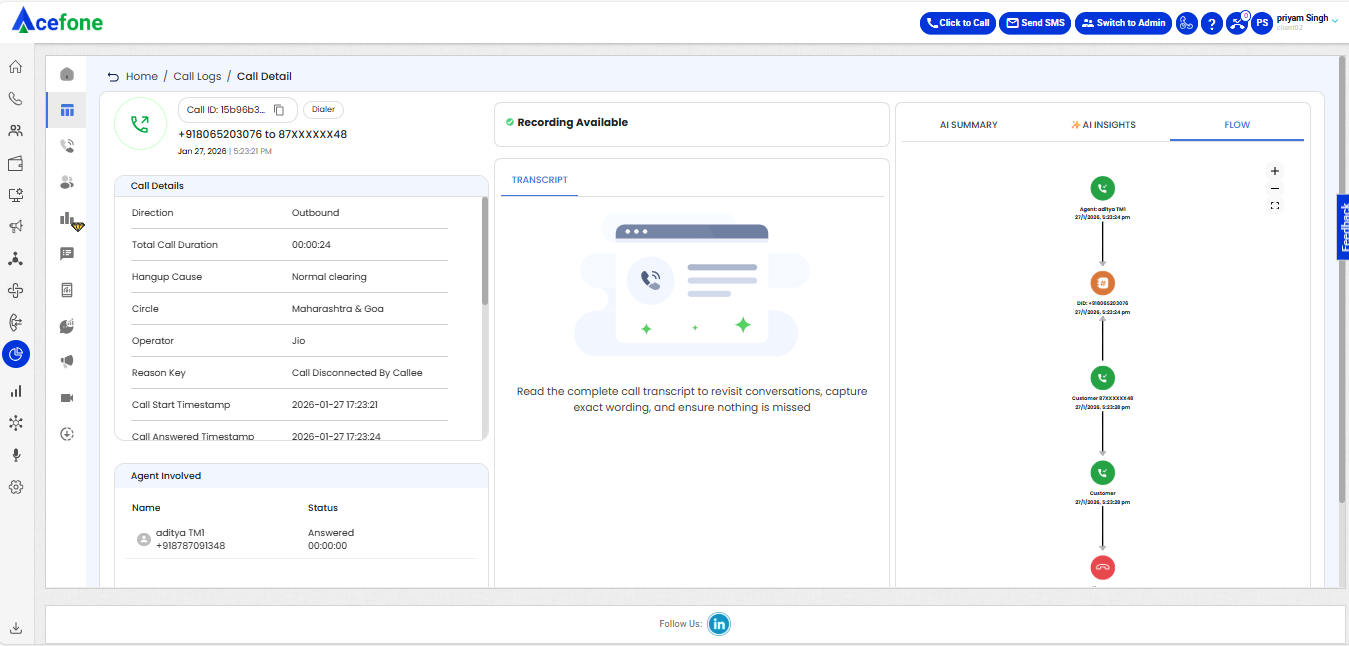
🧾 Header Information
Displays the core identifiers and context of the selected call:
- Call ID: Unique identifier for the call (
1749538725.26XXXX) - Call Status: Indicates final call disposition (e.g., Answered)
- Call Solution: Describes the call handling type (e.g., Incoming)
- DID Number: Virtual number dialed by the customer (e.g.,
+91806520XXXX) - Customer Number: Actual number of the caller (e.g.,
+91892056XXXX) - Timestamp: Date and time when the call took place (
2025-06-10 12:28:45)
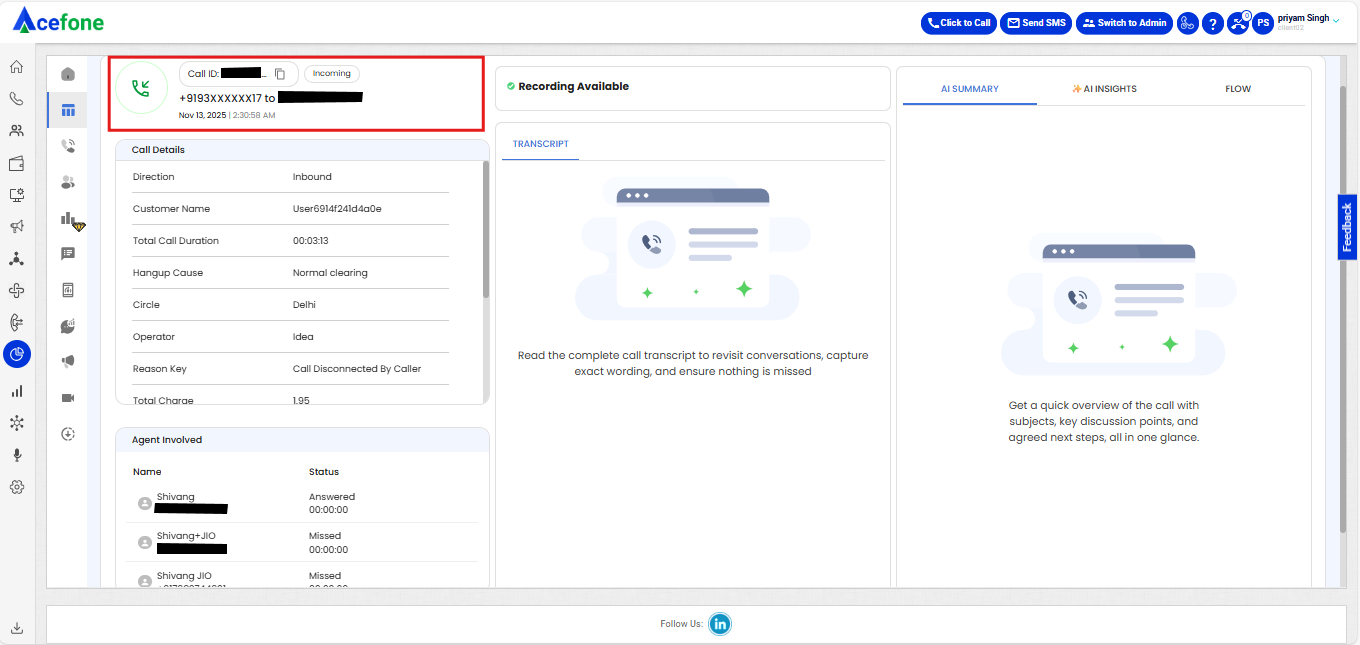
📊 Field-Level Call Attributes
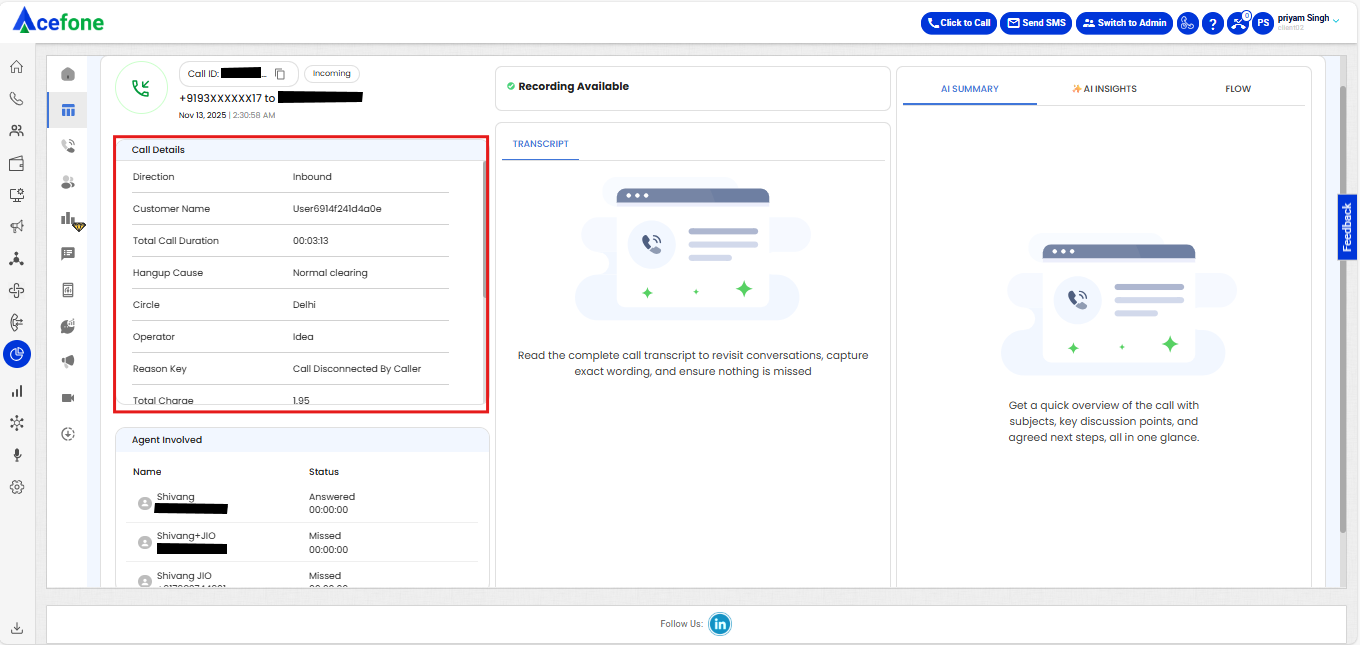
| Field | Description |
|---|---|
| Direction | Call direction |
| Hangup Cause | Reason for call termination |
| Agent Hangup Cause | Details of call disconnection |
| Total Call Duration | Total time of the call in seconds (e.g., 55s) |
| Inbound/Outbound Duration | Call split durations showing time in each leg |
| Reason Key | Additional metadata for the call end reason, if available |
| SIP Response Code | VoIP signaling status, if applicable |
| Circle | Telecom circle/region of the caller (e.g., Delhi) |
| Operator | Carrier used for the call (e.g., Jio) |
| Notes | Call notes added by the agent (if applicable) |
| Department | The queue or department where the call landed (e.g., Megha queue On) |
| IVR, Auto Attendant, Voicemail | Identifies which system components were used during the call (if any) |
| Bot Duration | Time spent with bot interaction (in seconds) |
| DTMF | DTMF input captured (if applicable) |
| Agent Disposition Code/Name | Agent disposition or tagging, if entered |
| Custom Status | Any custom tags or workflow-based statuses |
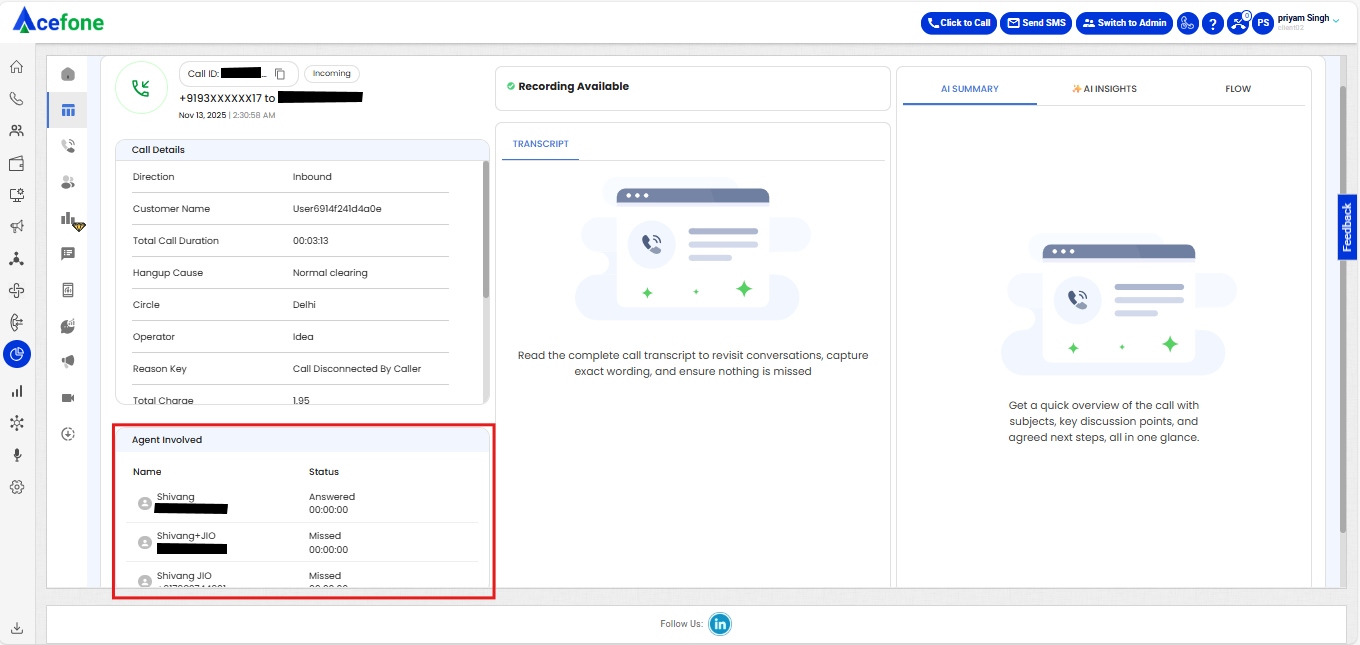
👥 Agents Involved
This section lists all agents who interacted with the call.
| Name | Number | Ring Time | Status |
|---|---|---|---|
| Test | +91884022XXXX | 00:00:03 | Answered |
🔁 Call Flow Visualization
A vertical flow diagram shows each event in the call journey with timestamps:
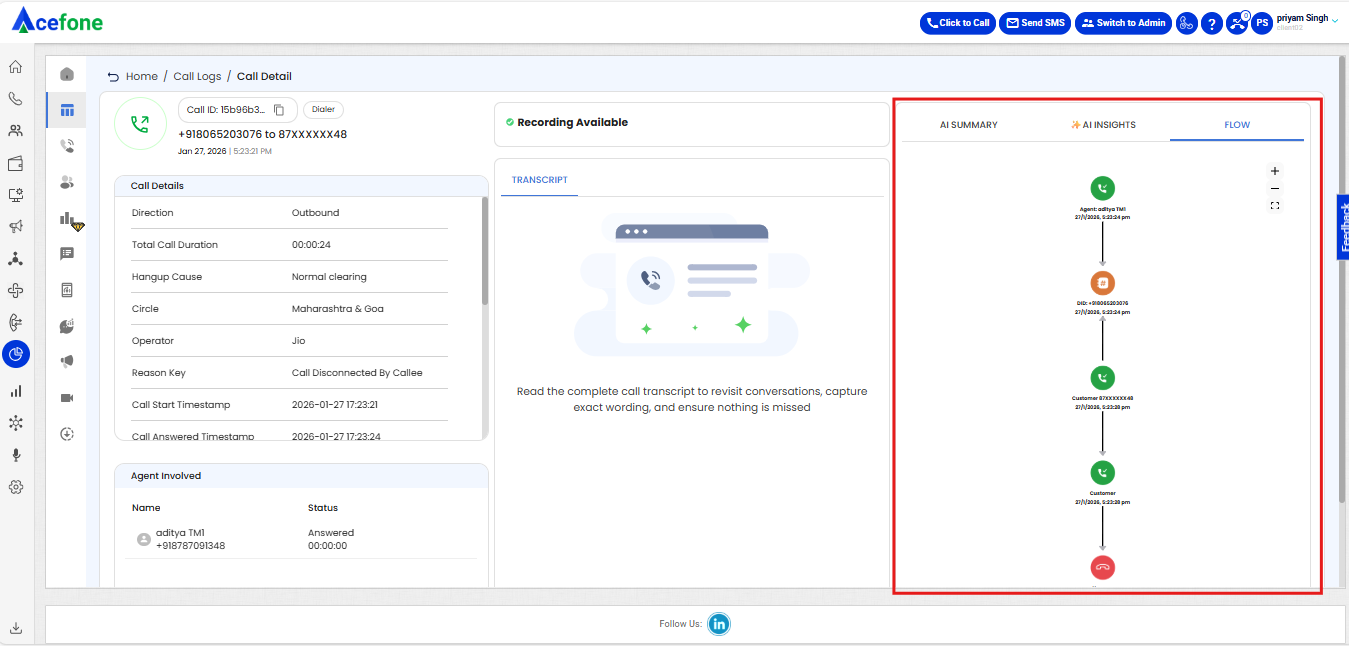
This helps trace the exact path a call took inside the system.
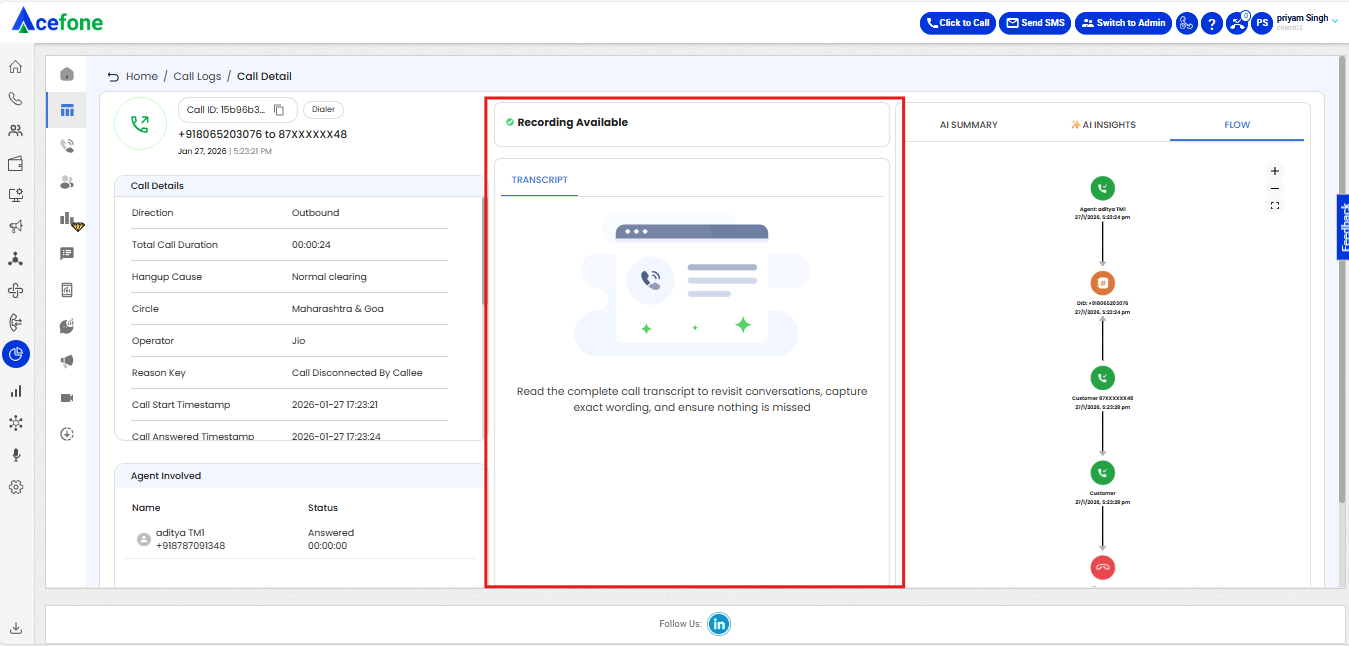
🎧 Recording Logs and Transcript
Displays of a Recording logs is available for the call. Playback or download options are provided here.
Complete Transcript of the call is available here to revisit the conversation, captures exact wording and covers everything.
Updated 8 months ago